Allow P6M Ybor Automation Through Rulesets
Several P6M reusable GitHub Actions — most notably the language *-cut-tag actions — push commits and tags directly to your default branch as part of release automation (for example, bumping a version in package.json and tagging it). These pushes are made as the P6M Ybor GitHub App (p6m-ybor[bot]), using a short-lived installation token minted via OIDC.
If you adopt a GitHub Ruleset that requires pull requests or otherwise blocks direct pushes to a protected branch, that automated push is rejected unless the app is on the ruleset's bypass list. Adding p6m-ybor as a bypass entity is the supported resolution: you keep branch protection fully enforced for humans while allowing P6M's verified automation to operate.
Prerequisites
-
The P6M Ybor GitHub App must be installed on your organization (or at least on the target repositories). A GitHub App only appears in a ruleset's bypass-actor picker if it is installed on that org/repo. If it is not installed, install it first via the org's GitHub App installation page (
https://github.com/apps/p6m-ybor), then return here.Install docsA dedicated "Install the P6M Ybor GitHub App" guide is still being written. Until it lands, use the install URL above or contact the P6M platform team. (Tracked as a follow-up to YP6M-2316.)
-
Your workflow that calls the cut-tag / release action must grant the OIDC permission so the action can exchange for an app token:
permissions:
  contents: write   # checkout / fallback git operations
id-token: write # required for the OIDC token exchange -
You need admin access to the repository (for repo-level rulesets) or the organization (for org-level rulesets) to edit the bypass list.
Add P6M Ybor to the ruleset bypass list
Do this on the org ruleset if you manage protection centrally, or per repo if rulesets are defined at the repository level.
-
Open your ruleset settings:
- Repository ruleset: repo → Settings → Rules → Rulesets.
- Organization ruleset: org → Settings → Repository → Rulesets (under "Code, planning, and automation").
-
Select the ruleset that enforces pull requests or blocks direct pushes to your protected branch (e.g.
main). -
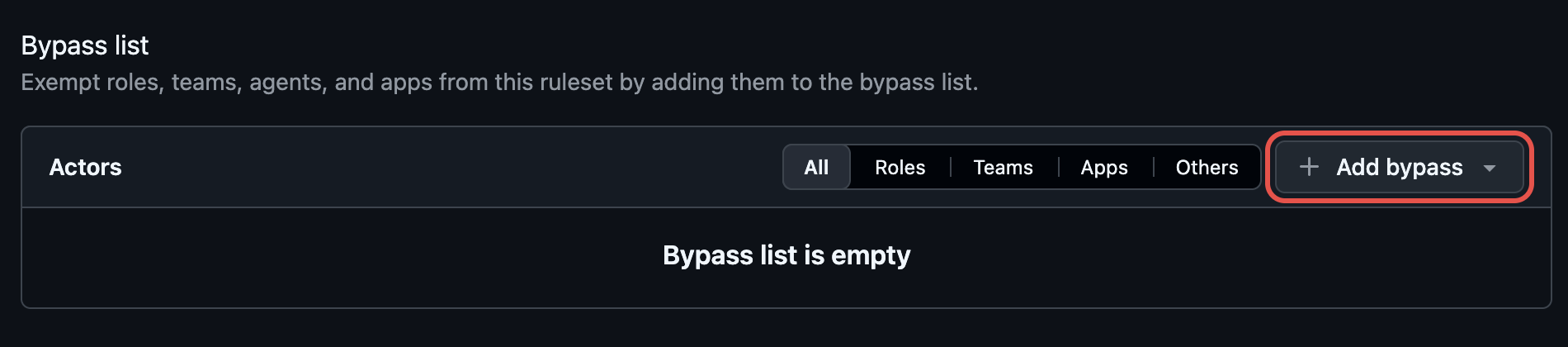
Find the Bypass list section and click Add bypass.
-
In the Add bypass dialog, type
p6m-yborinto the filter box, then select the result. It is listed as p6m-ybor · Apps.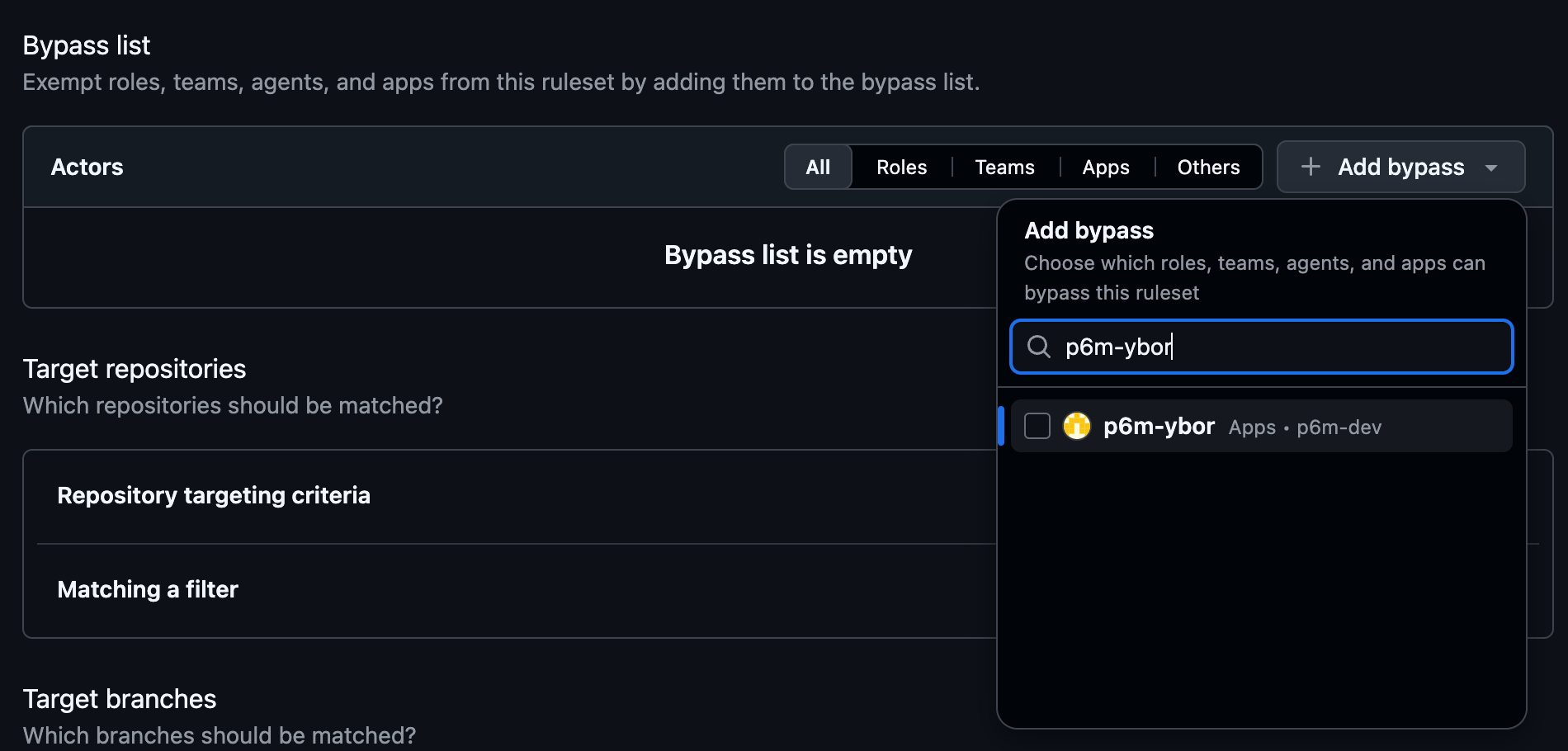
-
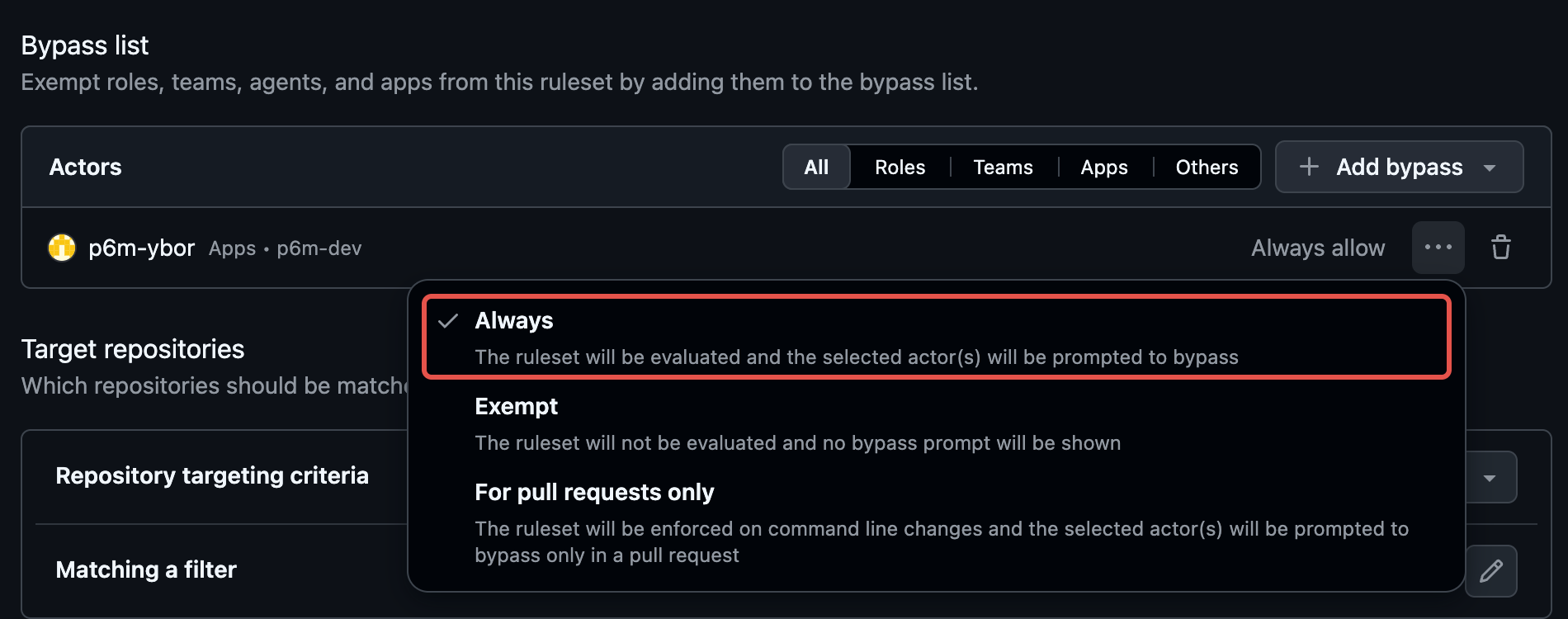
Open the ⋯ menu on the
p6m-yborrow and make sure the bypass mode is Always. This is the default, and the row shows Always allow.GitHub offers three modes:
- Always: use this. The ruleset is evaluated and
p6m-yboris allowed to bypass it. - Exempt: the ruleset is not evaluated for
p6m-yborat all, and no bypass prompt is shown. This guide documents Always. - For pull requests only: don't use this. The automation pushes directly rather than opening a PR, so its pushes would still be blocked.
- Always: use this. The ruleset is evaluated and
-
Click Save changes on the ruleset.
-
If you use both org-level and repo-level rulesets that protect the same branch, repeat for each — a bypass on one ruleset does not exempt the actor from another.
Verify
-
Trigger a release workflow that runs a
*-cut-tagaction (for examplep6m-actions/js-pnpm-cut-tag) against the protected branch. -
Confirm the workflow's commit/push step succeeds with no ruleset-violation error in the logs.
-
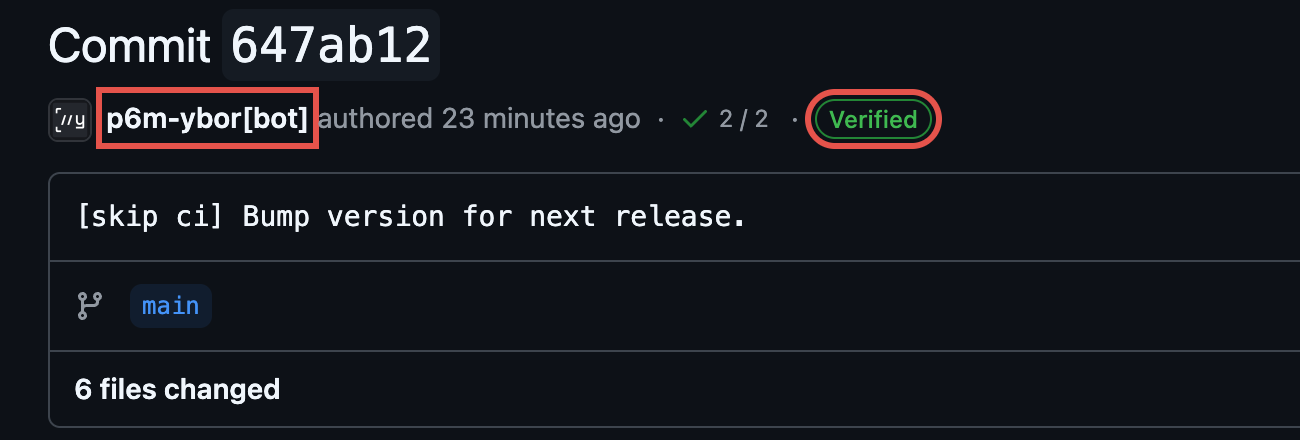
Open the resulting bump commit on GitHub and confirm:
- It is authored by
p6m-ybor[bot]. - It carries the green Verified badge (the app's commits are signed).
- It is authored by
Troubleshooting
The push fails with a ruleset / protected-branch violation.
The ruleset that rejected the push does not list p6m-ybor as a bypass actor, or the bypass mode is set to For pull requests only. Set it to Always (see step 5). Check that you edited the same ruleset enforcing the branch, and remember org-level and repo-level rulesets are evaluated independently — add the bypass to each one that applies.
p6m-ybor does not appear in the bypass actor picker.
The GitHub App is not installed on this org/repo. Install it (see Prerequisites), then reopen the ruleset — newly installed apps appear immediately in the picker.
The workflow fails before pushing, with an OIDC / token-exchange error.
The calling workflow is missing id-token: write. The cut-tag and release actions need it to exchange the Actions OIDC token for a P6M Ybor installation token; without it the exchange step errors out. Add the permissions block shown in Prerequisites. (The actions emit an explicit error naming the missing id-token: write permission.)